

Feature
Activities V2
Maximise capacity and streamline bookings with advanced waitlists.
Choose from three different waitlist types, designed to maximise attendance, reduce no-shows, and keep your activities running at full capacity with minimal effort.
Three waitlist types
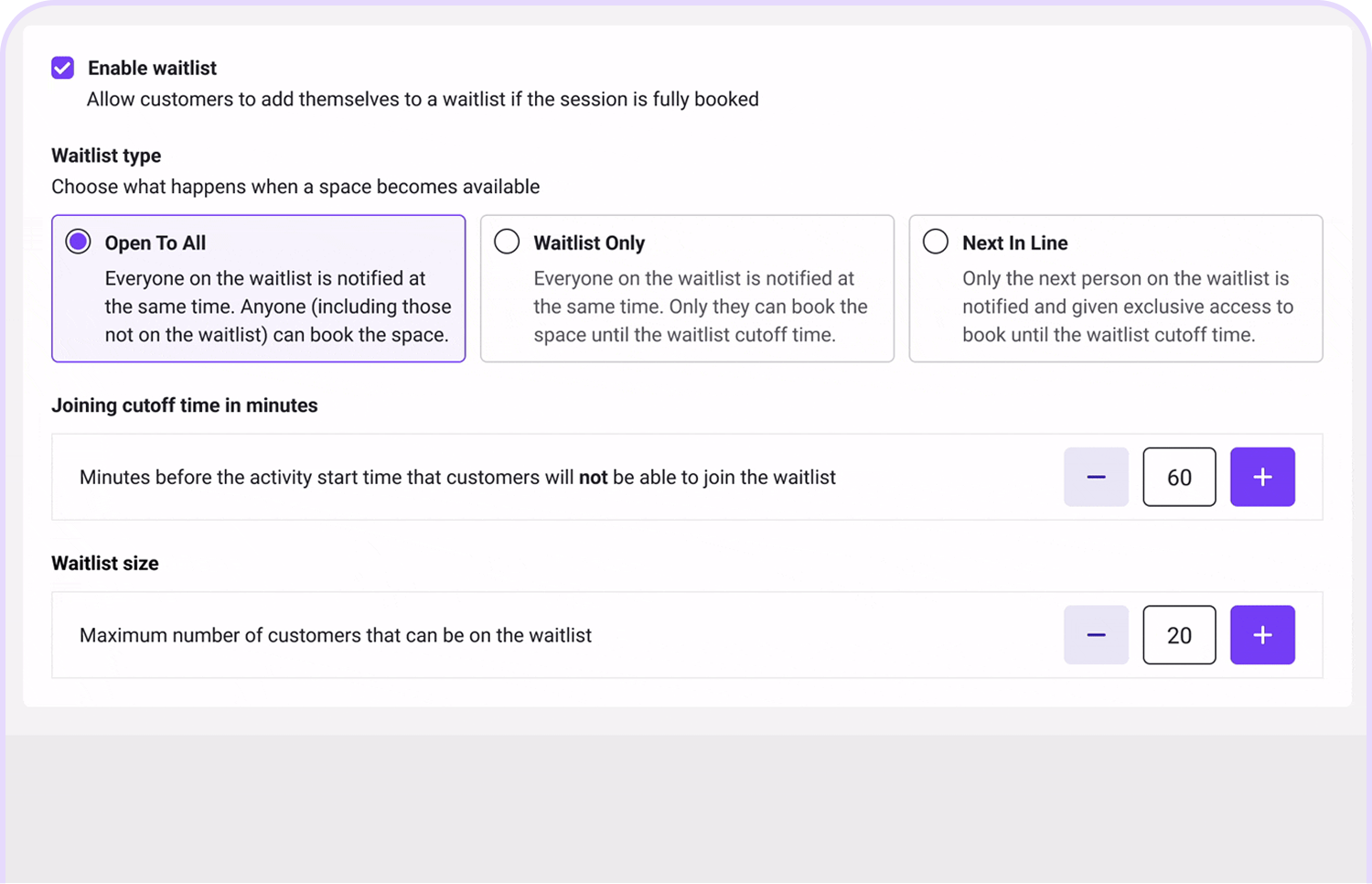
Choose from three different waitlist types depending on how exclusive you want booking to be.
- Open to All: When a space becomes available, everyone on the waitlist is notified at the same time, and anyone (including those not on the waitlist) can book the space.
- Waitlist Only: Everyone on the waitlist is notified at the same time, and only they can book the space.
- Next in line: Only the next person on the waitlist is notified and given exclusive access to book until the waitlist cutoff time.
Maximise capacity with cutoff times
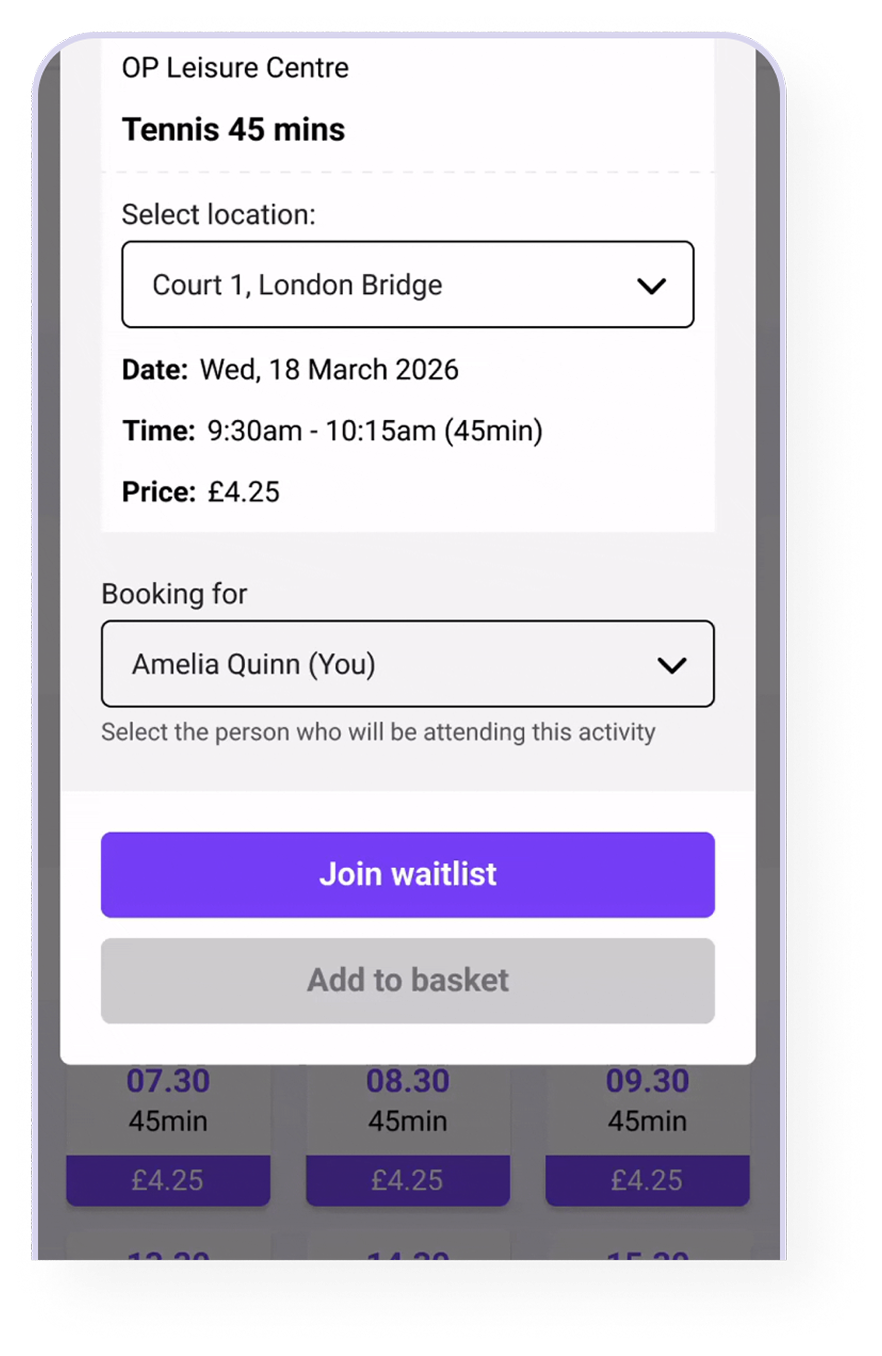
For “Waitlist Only” and “Next in line”, maximise last-minute capacity by setting a cut off time e.g. 6 hour before the activity. This this point, any available spaces will become bookable by anyone.
Clear availability on facility calendar
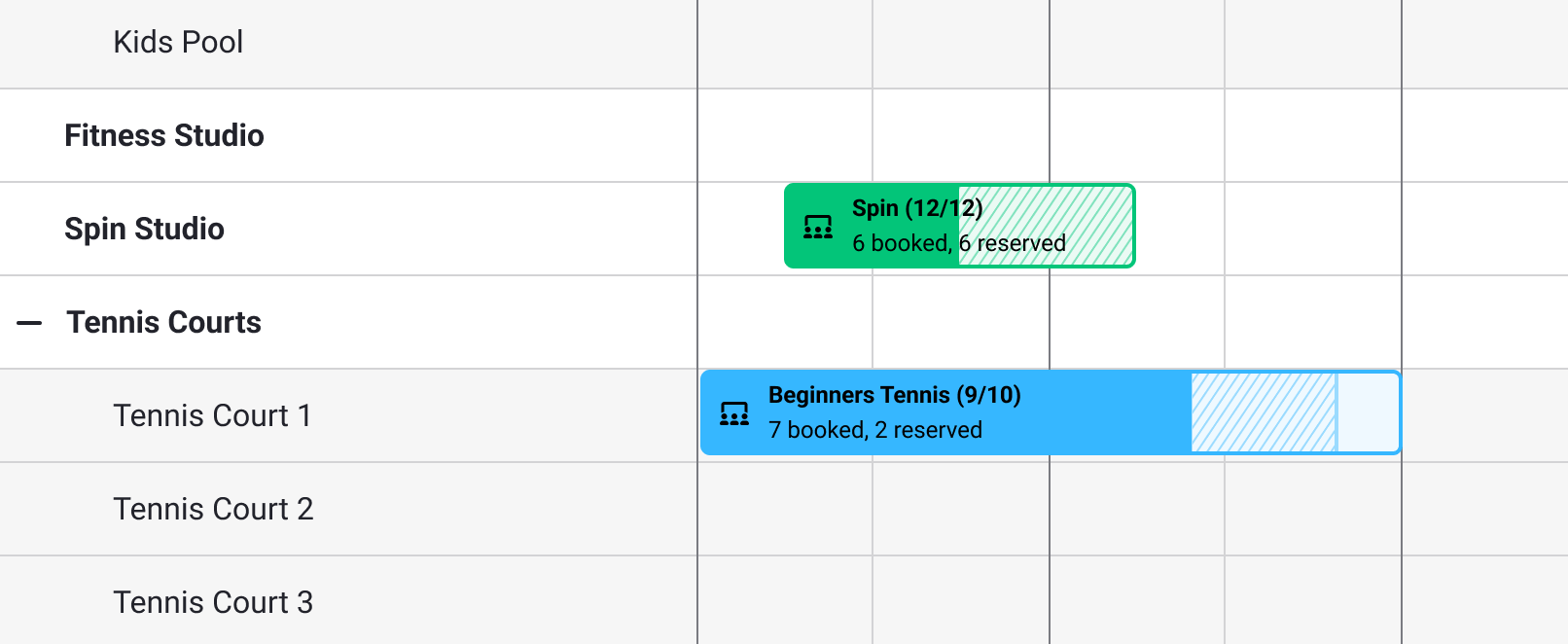
Front of House staff can easily see how many spaces are reserved for waitlisted customers, and have the ability to book on their behalf.
Want to learn more about this feature?
Get in touch
Feature
Activities V2
Maximise capacity and streamline bookings with advanced waitlists.
Choose from three different waitlist types, designed to maximise attendance, reduce no-shows, and keep your activities running at full capacity with minimal effort.
Three waitlist types
Choose from three different waitlist types depending on how exclusive you want booking to be.
- Open to All: When a space becomes available, everyone on the waitlist is notified at the same time, and anyone (including those not on the waitlist) can book the space.
- Waitlist Only: Everyone on the waitlist is notified at the same time, and only they can book the space.
- Next in line: Only the next person on the waitlist is notified and given exclusive access to book until the waitlist cutoff time.
Maximise capacity with cutoff times
For “Waitlist Only” and “Next in line”, maximise last-minute capacity by setting a cut off time e.g. 6 hour before the activity. This this point, any available spaces will become bookable by anyone.
Clear availability on facility calendar
Front of House staff can easily see how many spaces are reserved for waitlisted customers, and have the ability to book on their behalf.
Want to learn more about this feature?
Get in touch
Products

Support
About
Get in touch
Feature
Activities V2
Maximise capacity and streamline bookings with advanced waitlists.
Choose from three different waitlist types, designed to maximise attendance, reduce no-shows, and keep your activities running at full capacity with minimal effort.
Three waitlist types
Choose from three different waitlist types depending on how exclusive you want booking to be.
- Open to All: When a space becomes available, everyone on the waitlist is notified at the same time, and anyone (including those not on the waitlist) can book the space.
- Waitlist Only: Everyone on the waitlist is notified at the same time, and only they can book the space.
- Next in line: Only the next person on the waitlist is notified and given exclusive access to book until the waitlist cutoff time.
Maximise capacity with cutoff times
For “Waitlist Only” and “Next in line”, maximise last-minute capacity by setting a cut off time e.g. 6 hour before the activity. This this point, any available spaces will become bookable by anyone.
Clear availability on facility calendar
Front of House staff can easily see how many spaces are reserved for waitlisted customers, and have the ability to book on their behalf.
Want to learn more about this feature?
Get in touch